Agents your organization can own, approve, and audit.
Consequential actions wait for durable, tamper-evident approvals, and every run leaves a record you can verify offline, byte for byte.
const oma = new OpenMultiAgent({ maxConcurrency: 3 })const team = oma.createTeam('security-analysis-team', { agents: [{ name: 'attack-surface-reviewer', systemPrompt: '…', maxTurns: 2 },// … data-security-reviewer, supply-chain-reviewer, synthesizer] })const goal = 'Review this service for security vulnerabilities…'const result = await oma.runTeam(team, goal)
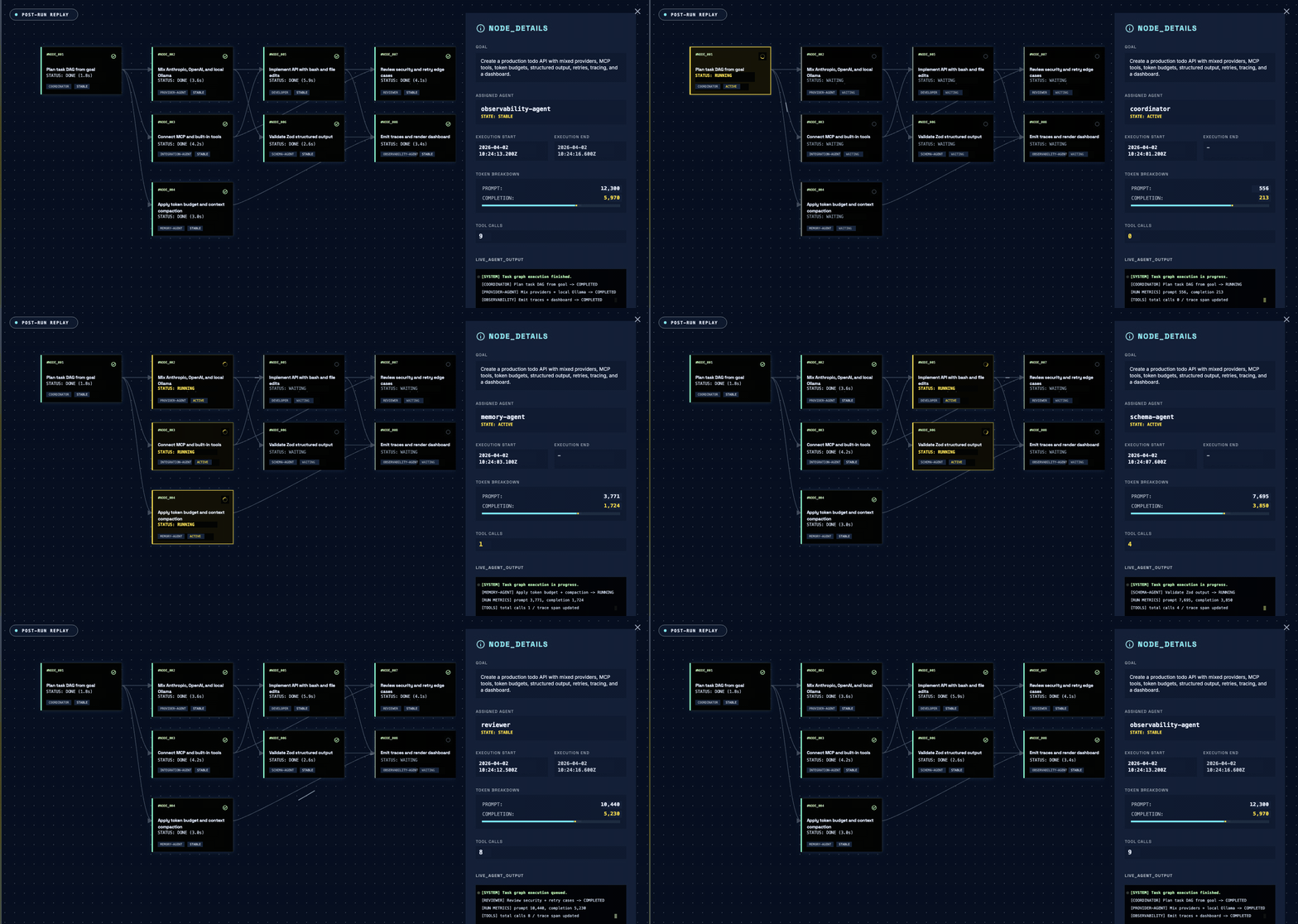
#4f90f545Attack surface review: authentication, endpoints, and trust boundariesattack-surface-reviewer10.7s#b47191e7Data security review: injection, secret handling, and sensitive datadata-security-reviewer34.8s#d1c1ab67Supply chain review: dependencies, configuration, and deploymentsupply-chain-reviewer40.8s#168862baafter 3Synthesize severity-ranked security reportsynthesizer51.3sControl the run, and keep the evidence.
Hold consequential work for a durable decision, check a finished run against its own events, declare the roles it has to pass through — and run all of it on your own infrastructure.
Gate the plan, a ready task, or a consequential tool call, each at its own boundary. Return { action: 'suspend' } and the request persists beside the checkpoint, bound to a hash of exactly what the reviewer was shown, until another process decides it.
onPlanReady · onToolCall · { action: 'suspend' } · decideApproval · restoreWith the run journal on, the run records every block the model saw, every tool call, and every context rewrite. verifyRun() reads it back cold and offline and checks each block still reproduces from its named source event; an evicted window reports inconclusive, not failure.
RunJournal · verifyRun · inconclusive · EvalSetDeclare governanceIntent: 'required' with requiredRoles, and the run is judged on its execution receipt: which roles ran, in what order. The gate never reads agent answer text, and the conclusion does not rewrite result.success — a run can succeed and still report unsatisfied.
governanceIntent · requiredRoles · requiredOrder · governanceConclusionNo telemetry and no hosted control plane: a library with no OMA backend or account. Cloud, local, or air-gapped models on your credentials, with three runtime dependencies. Tools are default-deny, egress policy bounds the built-in adapters, and Claude Code, Codex, or Gemini CLI join the DAG over ACP.
default-deny tools · egressPolicy · ShellExecutor · ACPrunAgent() runs one agent and runTasks() executes the graph you wrote. Give runTeam() a goal instead and an optional coordinator plans a reviewable task DAG; ready dependents dispatch the moment their prerequisites finish, with no round barriers.
runAgent · runTasks · runTeam · onTaskDispatch · requiresRestore resumes from the last safe boundary and replays committed tool results instead of re-running them. In repairable mode, a validated PlanPatch revises the part of the graph that has not run.
checkpoint · toolCallId · recovery.mode: 'repairable' · PlanPatch · maxCostBudgetRead the whole run back, offline.
The offline Run Viewer turns a completed run into reviewable evidence, with no hosted OMA service involved. With the run journal on, verifyRun() checks the same run again from its own events, byte for byte — and reports inconclusive, rather than a pass, for a window that has been evicted.
- Task DAG and assignees
- Model, provider, token, and cost rollups
- Tool calls, status, and safe evidence details
- Journaled runs: every adapter call and every block the model saw
Three workflows, three orchestration choices.
Pick the outcome, open the recipe, run it.
goal-driven · runTeam()A coordinator picks the specialists a shipping or billing escalation needs and synthesizes their evidence.
explicit DAG · runTasks()Extract clauses once, check compliance and summarize in parallel, then notify.
explicit DAG · runTasks()Three investigations run in parallel, then feed a root-cause hypothesis and the postmortem.
Open source, live from the repo.
Repository numbers and three real projects, each one checkable.
WordPress security analysis platform. Runs OMA's built-in bash, file, and grep tools inside Docker.
AI pull-request reviewer. A coordinator plus scoped reviewer agents, with custom tools and token-aware diff compression.
Terminal coding assistant. Drives an OMA team through runAgent, runTasks, and runTeam with a custom coordinator, on DeepSeek.
A brilliant TypeScript-native multi-agent orchestration framework.
How the TypeScript runtime behaves.
Straight answers to the questions that come up most. The full reference lives in the docs.